Signing in (logging in)
You have one account for the website and the app. Sign in the same way you signed up, and your trips are the same everywhere.
There are three ways to sign in: Apple, Google, or your email address.
On the website
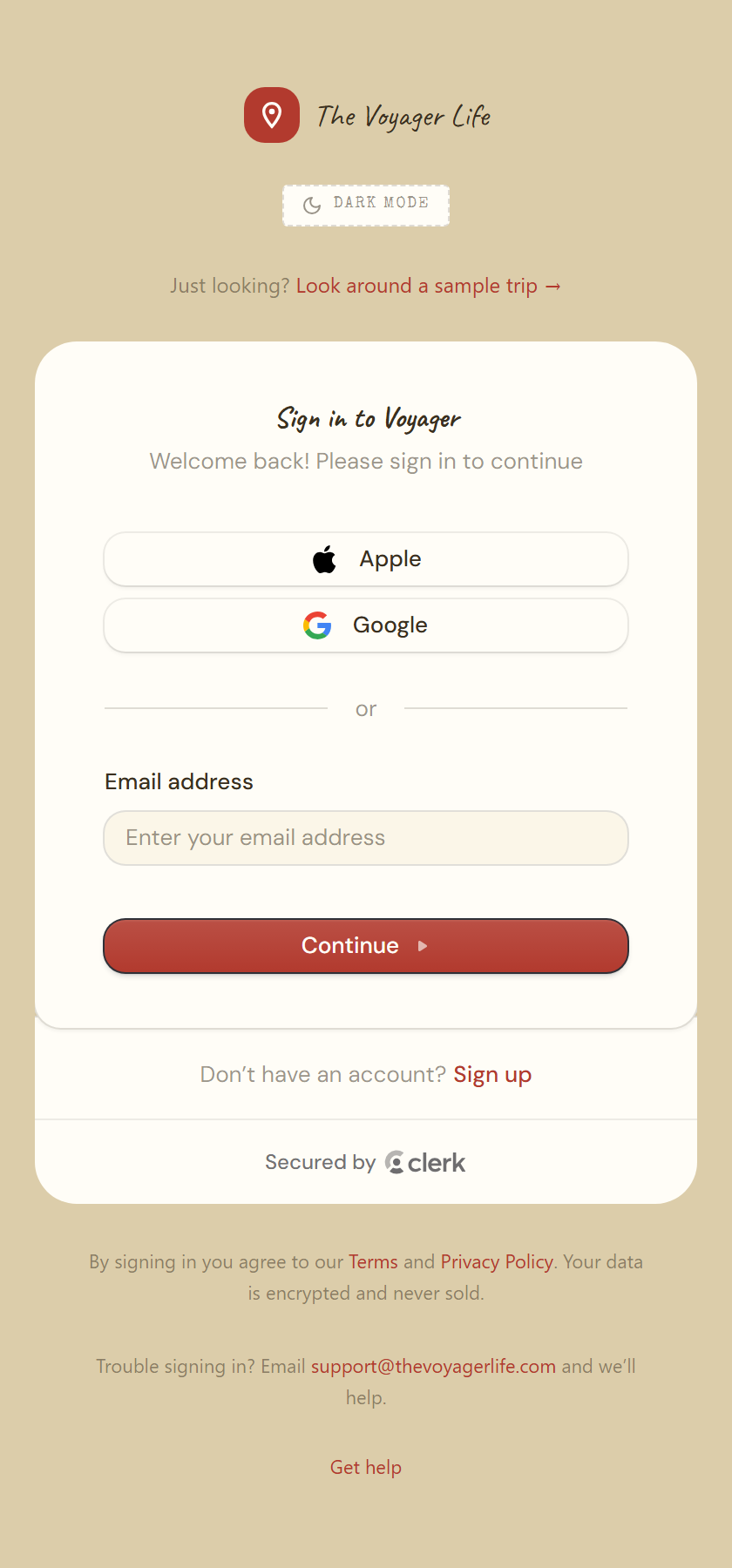
- Go to thevoyagerlife.com and choose Sign in.
- Choose one way:
- Apple: choose Apple, then confirm with your Apple Account (Face ID, Touch ID or your Apple password).
- Google: choose Google, then pick your Google account.
- Email: type your email address under Email address and choose Continue, then type your password and choose Continue again.
- You land on My Trips.
New here? Choose Sign up under the box instead. It offers the same three ways.
In the app
- Open The Voyager Life app.
- Choose one way:
- Continue with Apple, then confirm with Face ID, Touch ID or your Apple password.
- Continue with Google, then pick your Google account.
- Email: type your email address and tap Send me a code. We email you a 6-digit code. Type it under Code and tap Verify and sign in. No password is needed in the app.
- The app opens on Plan.
No code in your inbox after a minute? Look in spam or promotions, then tap Resend the code. Typed the wrong address? Tap Use a different email.
If the app says there's no account for that email yet, it offers to make one with the same code.
Use the same way each time
Sign in the way you signed up. If you joined with Google, choose Google; if you joined with Apple, choose Apple. If you chose Hide My Email when you joined with Apple, your account uses Apple's private relay address, so typing your usual email finds a different, empty account.
Forgot your password?
On the website, choose Continue after your email, then Forgot password?, and we email you a reset link within a few minutes. Signed up with Apple or Google? You have no password with us; your Apple or Google account handles it. In the app you never need a password: we email you a code instead.
Still can't get in?
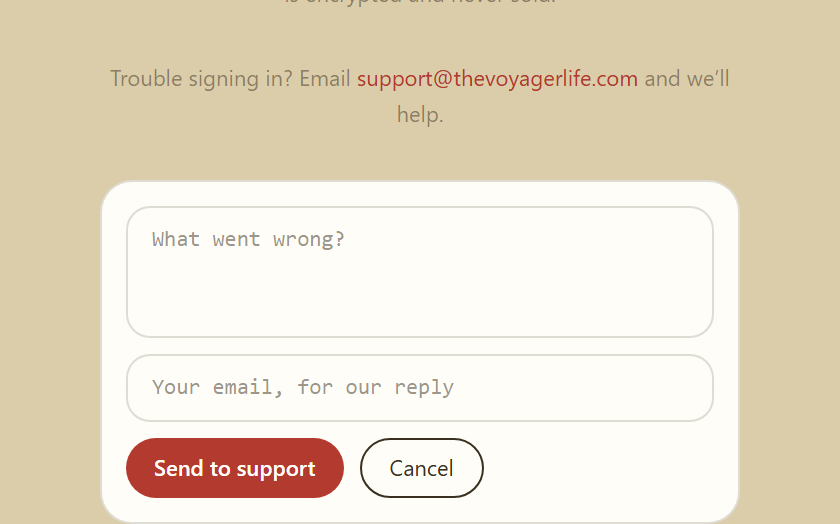
Choose Get help under the sign-in box, on the website or in the app. Write what went wrong and your email, and choose Send to support. You get a case number straight away, and we reply by email, usually within a day. No account needed. You can also email support@thevoyagerlife.com.
Signing out
On the website, open the menu and choose Sign out. In the app, go to Profile and tap Sign out.